Beats in their place.
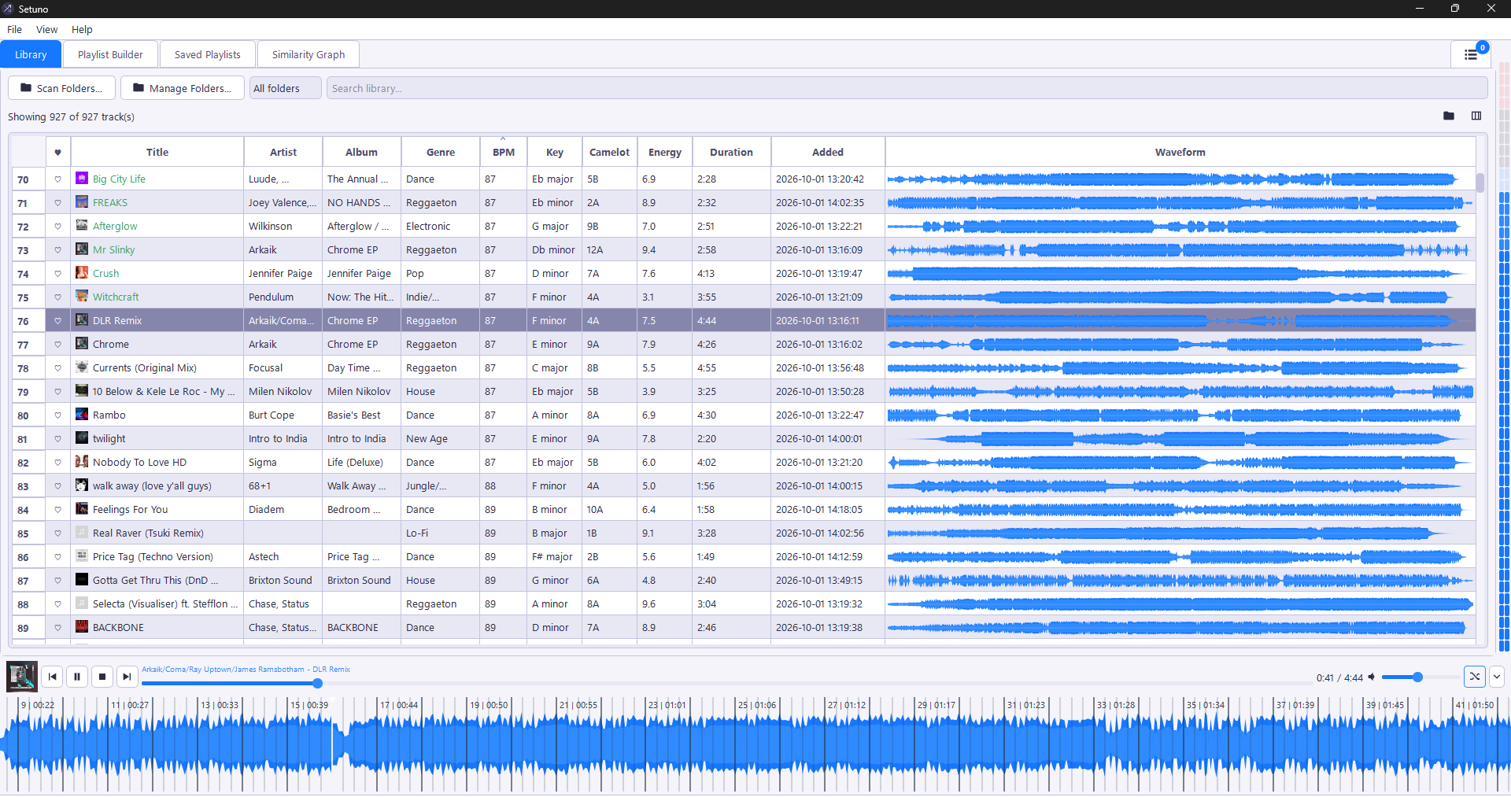
Beat grids lock onto kicks across the full track, fine-tune BPM and start bar one on the downbeat. Zoom into the large waveform for detail down to about a quarter of a second.

A Bonaub product / Made for music people

Your music. A better flow.
Know your tracks. Shape your set. A local, offline companion for DJs, radio hosts and playlist curators who care about what comes next.
Windows 10 / 11 only · Standalone .exe · Local files. No cloud required.
About the app
v1.2.2 · Created by J. Baudru (Bonoob).
A local, offline companion for DJs, radio hosts, and playlist curators. It scans your music folders, analyzes each track's tempo, musical key and energy, and builds ordered playlists for a target set length or track count.
With harmonic (Camelot wheel) mixing, an embedded player, live stats, and export to Rekordbox-compatible .m3u/.m3u8 or ordered folder copies.
New in v1.2.2
Explore the latest release notes.
Beat grids lock onto kicks across the full track, fine-tune BPM and start bar one on the downbeat. Zoom into the large waveform for detail down to about a quarter of a second.
Every song loads at once, while cached mini waveforms keep even large collections smooth. The library now sorts by title by default.
Like a song in the player and see its favorite heart update across the library, builder and queue. The similarity graph gains clear axes, clusters and non-overlapping nodes.
From folders to flow
Keep the creative decisions. Let Setuno take care of the groundwork.
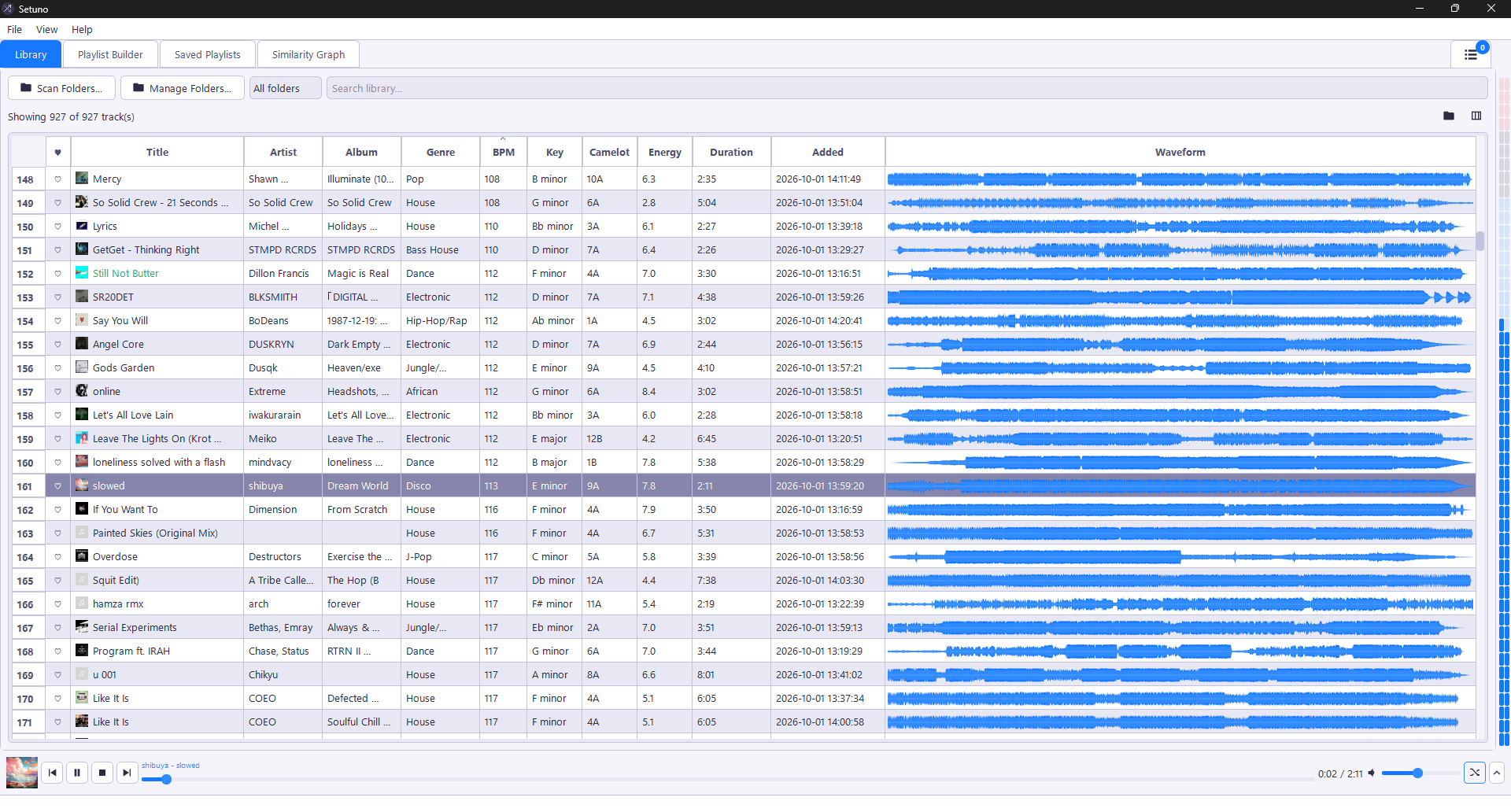
Point Setuno to your music folder. It scans MP3, WAV, FLAC and OGG files and analyzes tempo, musical key, energy and genre. Tracks appear as they're ready.
Set a duration or track count. Keep a steady tempo, build the energy or combine both. Filter your selection and pin the tracks that have to make the cut.
Preview with the built-in player, inspect your set's curves and fine-tune the order. Save a playlist, export to M3U or copy your tracks in playing order.
Inside Setuno
A closer look at the actual app.
From the first track to the final transition.
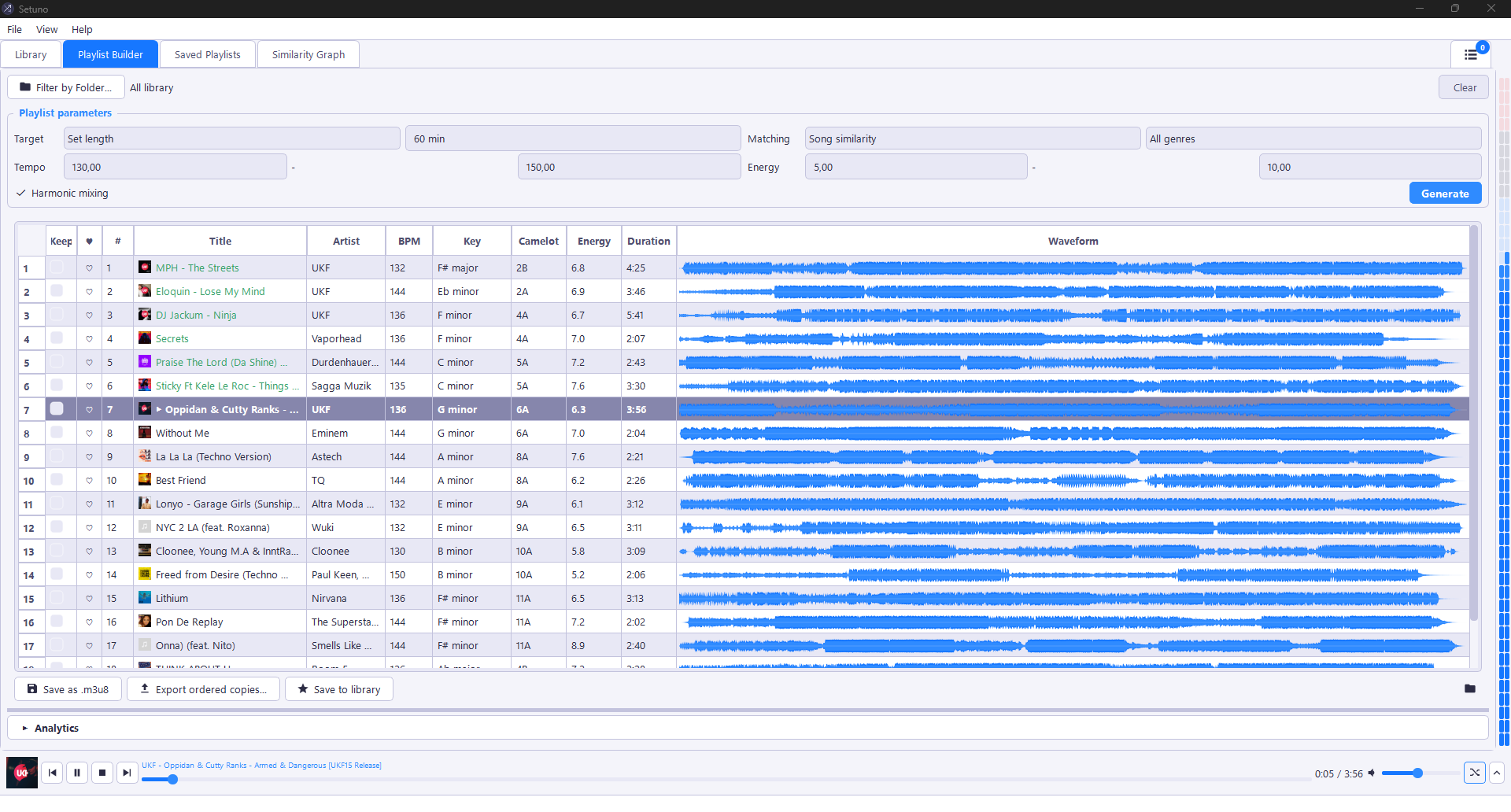
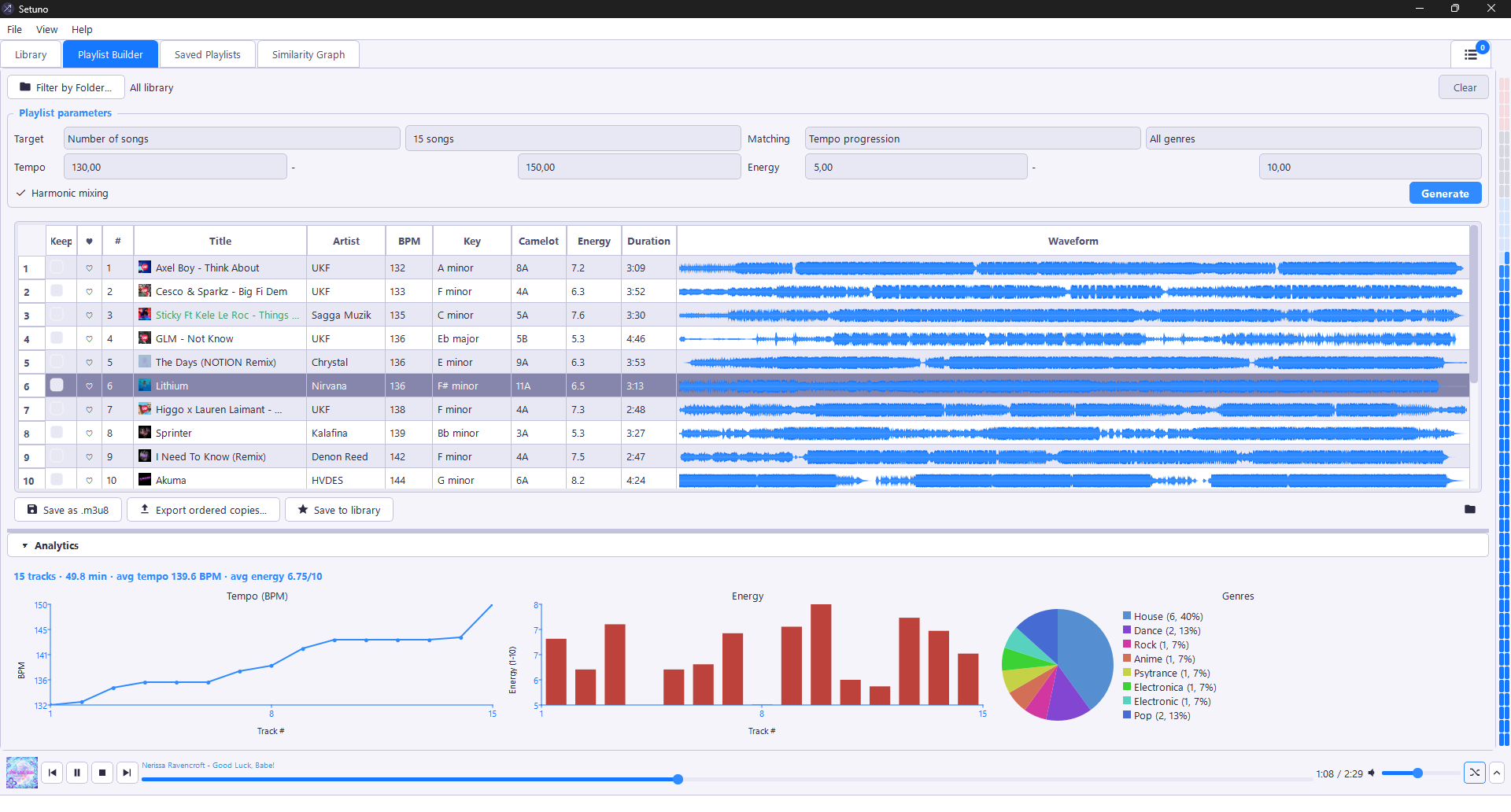
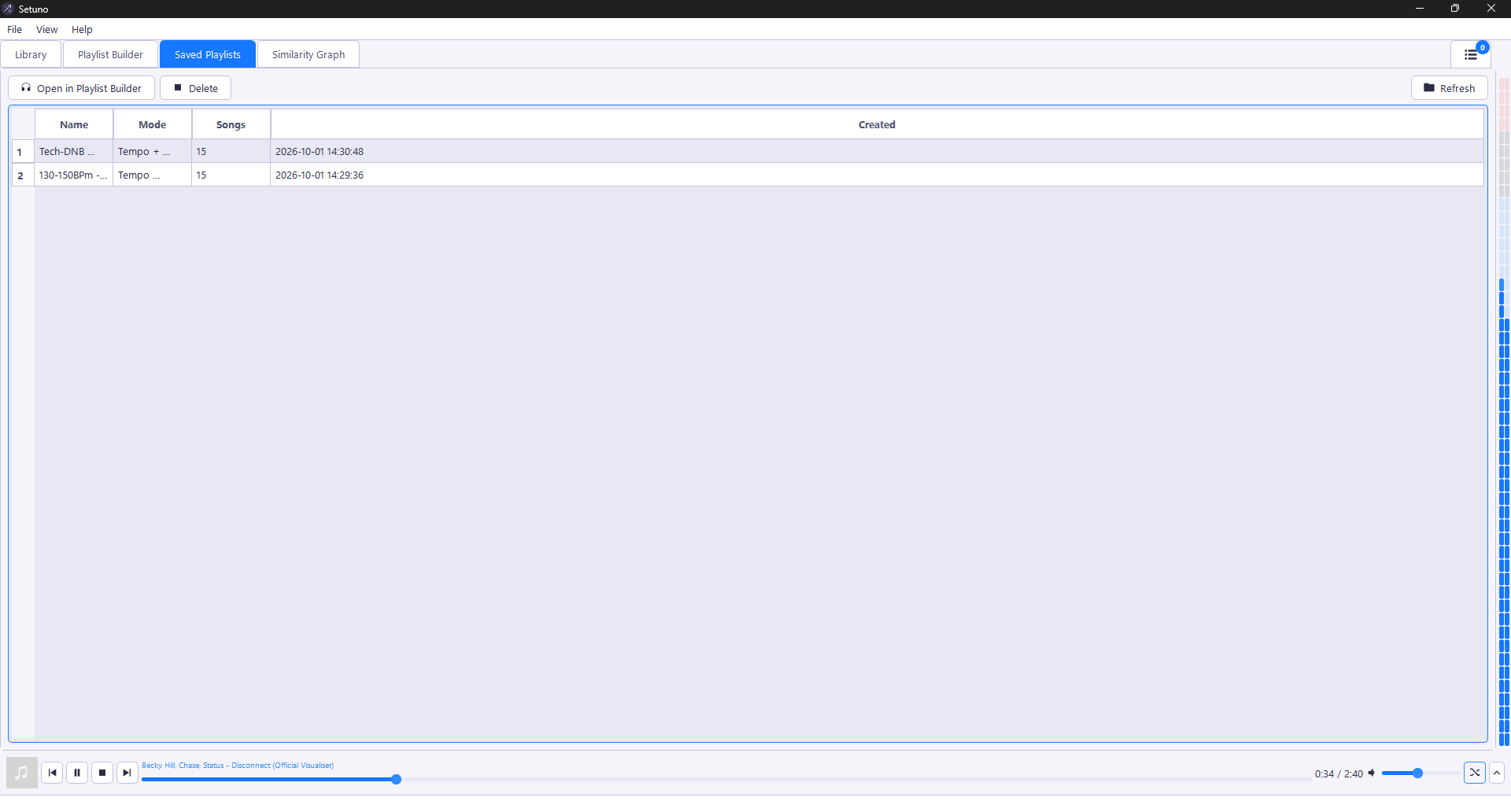
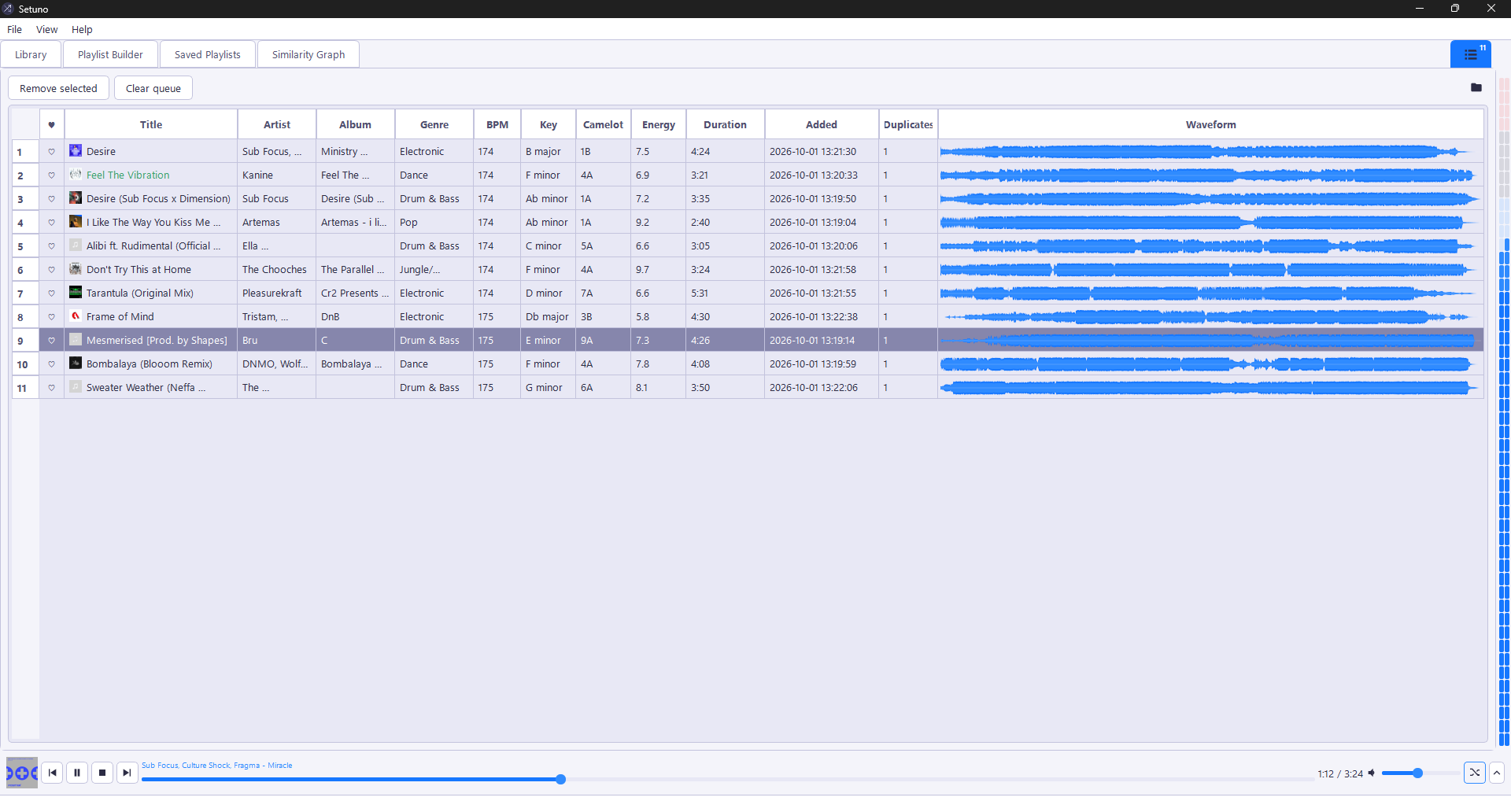
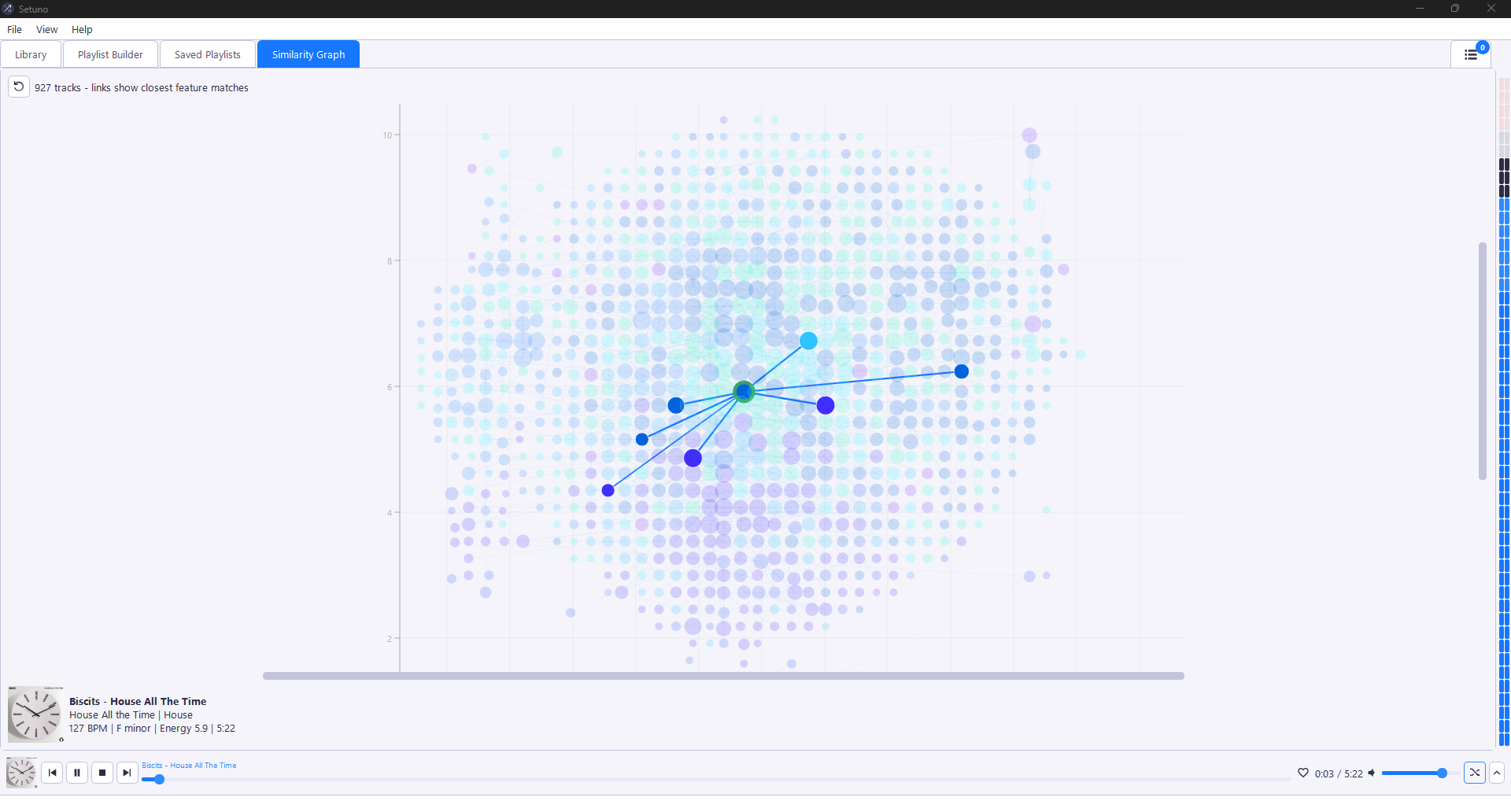
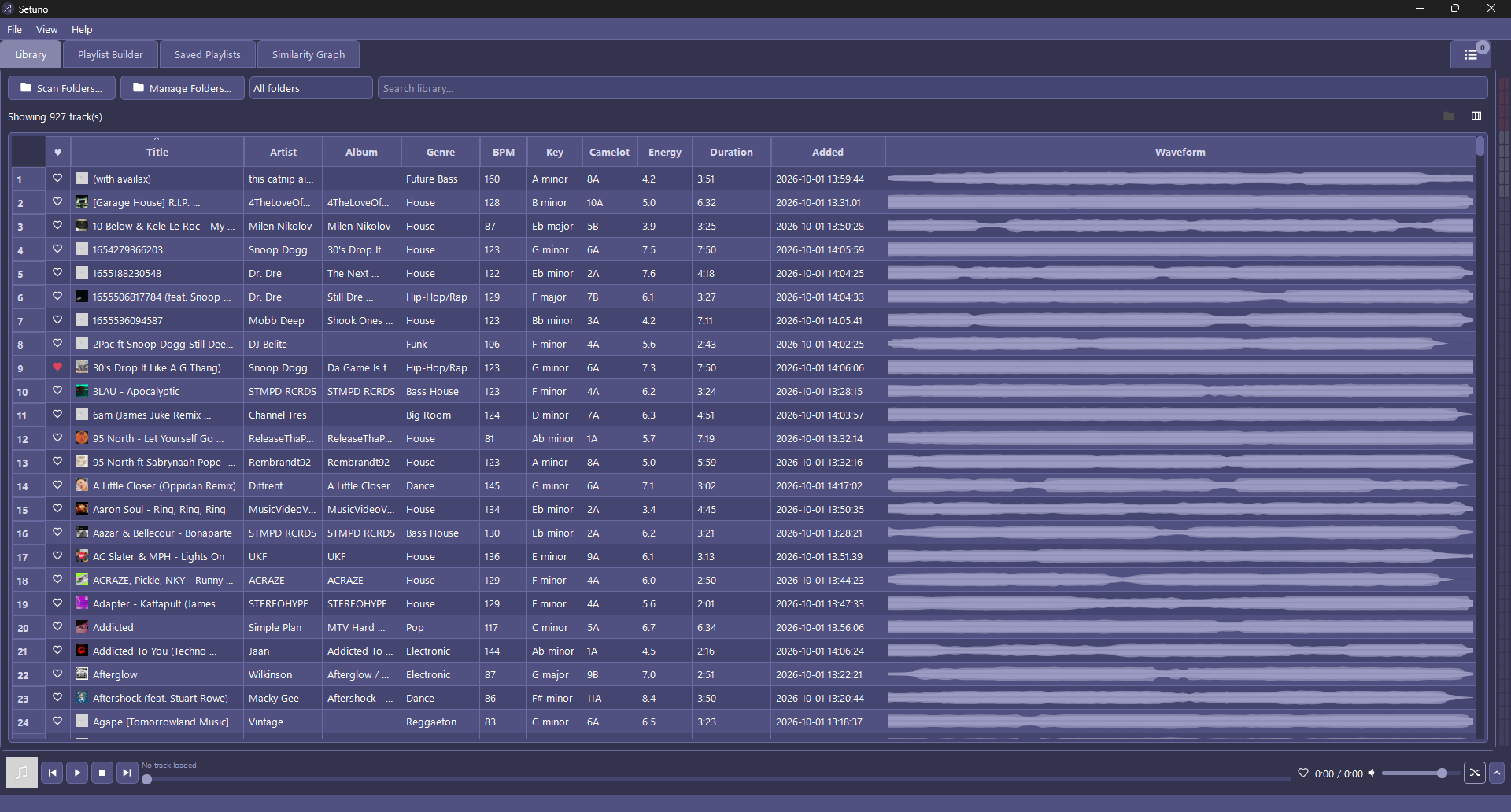
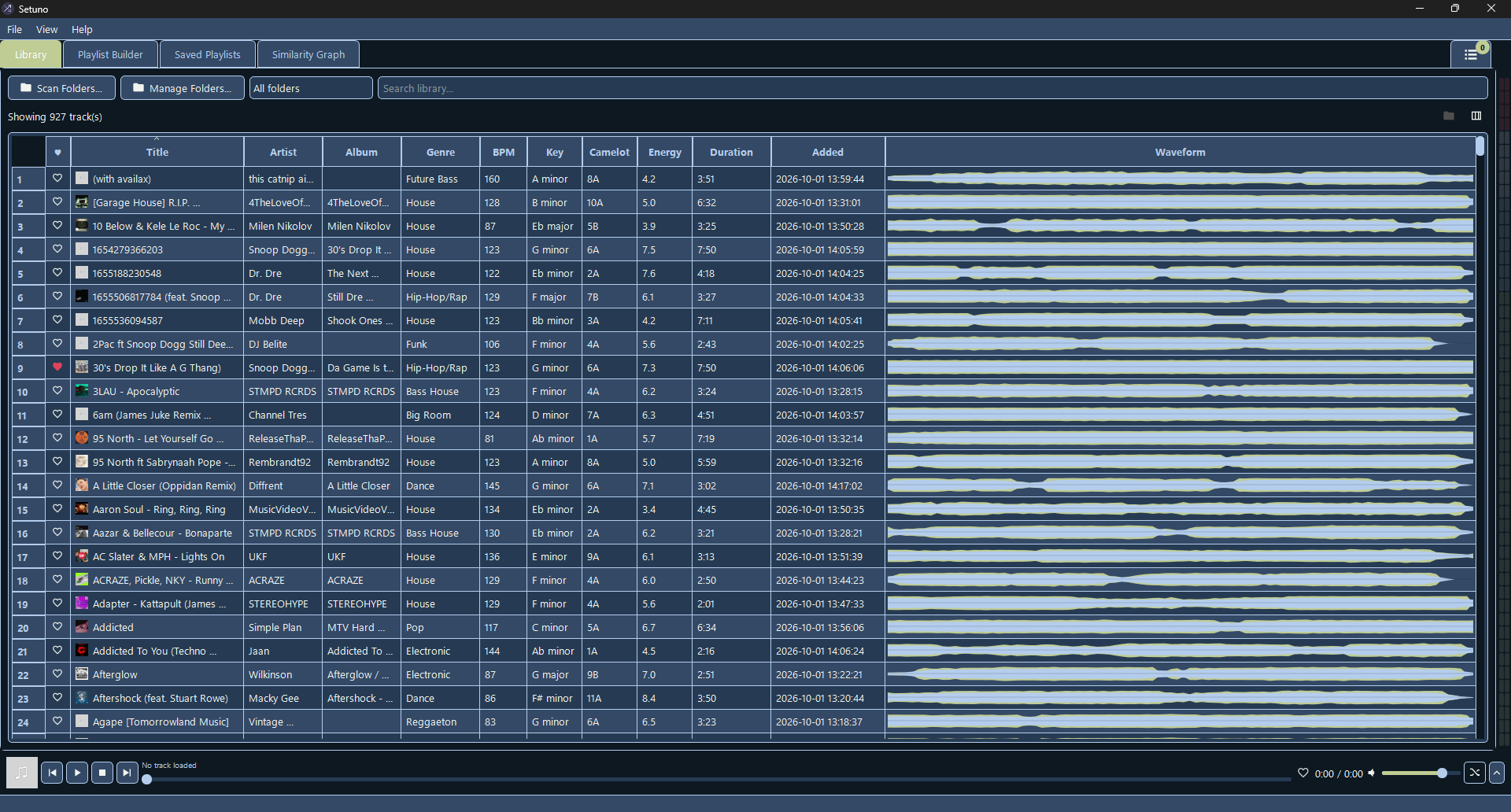
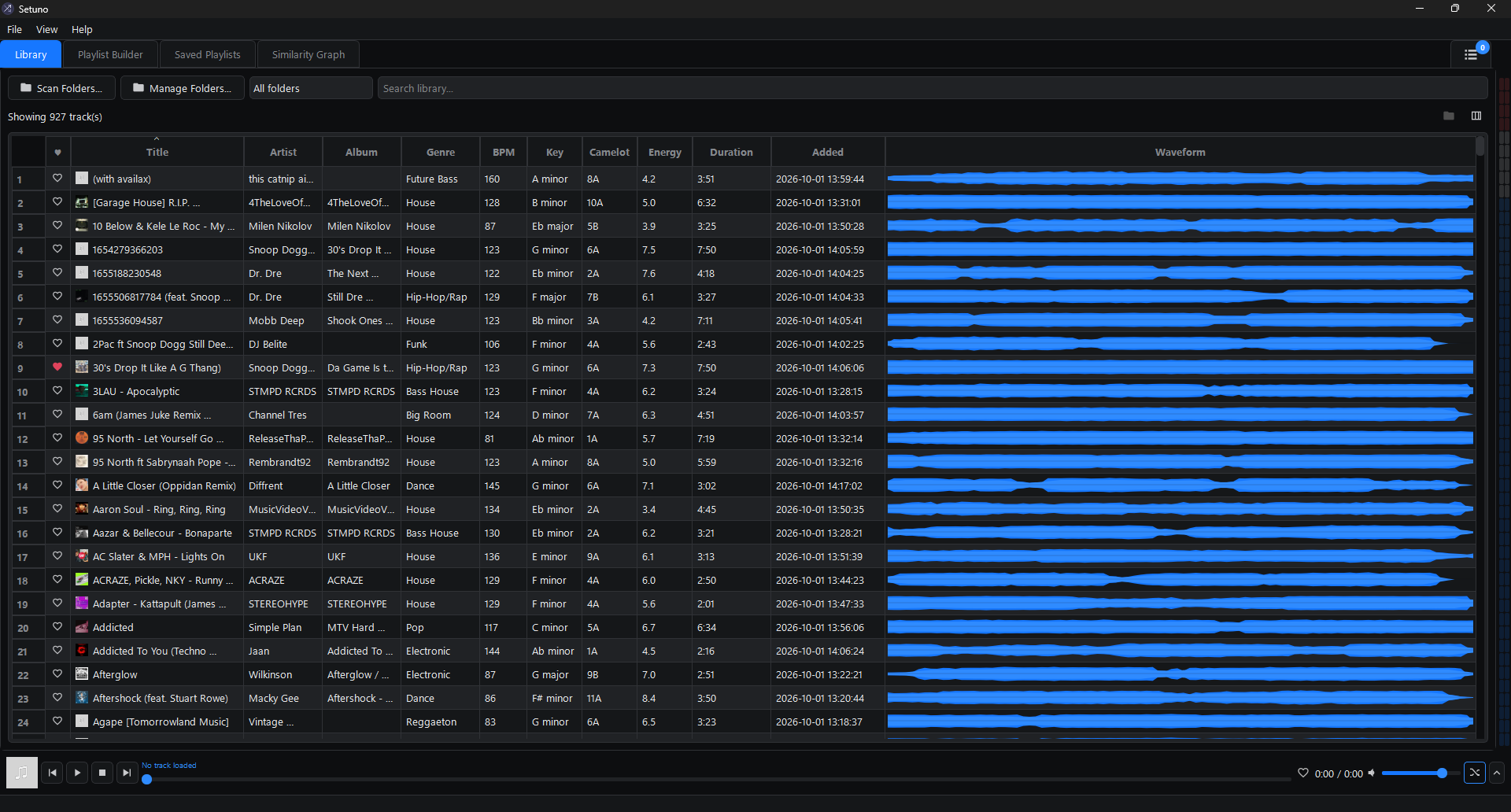
Camelot key codes help you find compatible tracks and build a more natural musical progression.
Waveform previews, click-to-seek playback and optional tempo-matched auto-crossfade keep you in the music.
Export playlists for Rekordbox and other M3U-compatible tools, or copy the audio files in playlist order.
Good to know
No. Library scanning, track analysis and playlist generation run locally. Your music library stays on your machine, and these features work offline.
Setuno is Windows 10 / 11 only. Download the ready-to-run standalone .exe and launch it directly. There is no macOS or Linux release.
Not for the ready-to-run Windows build. Download the executable and launch Setuno directly.
Yes. Setuno recursively scans folders containing MP3, WAV, FLAC and OGG files. A local cache means subsequent scans only re-analyze new or changed files.
Setuno is a library and set-preparation companion, with an embedded player for previewing. Export your playlists to Rekordbox or another compatible tool for the next part of your workflow.
Get Setuno and find out where your music takes you.
Prefer the source? Explore the repository.