Start with character.
Five waveforms per oscillator, independent ADSR envelopes, low- and high-cut filters, octave and fine tuning. Build a sound one layer at a time.
A Bonaub product / Made for sound explorers
Three oscillators. Your sound.
From a rounded sub to a drifting pad. A subtractive synth with hands-on controls, flexible modulation and space to experiment. Less clutter. More sound.
Windows only · Windows 10 / 11, 64-bit · VST3 + standalone .exe · Checkout on Gumroad
About the synth
Created by J. Baudru (Bonoob). Made by Bonaub.
Sympl brings three independent oscillators into one focused instrument. Blend sine, square, saw, triangle and noise, then shape each layer with its own envelope, filters, tuning and stereo pan.
Play chords with 16-voice polyphony or switch to monophonic legato glide for sliding basses and leads. Save your discoveries as presets, recall them in your DAW, or roll the dice to find a new starting point.
From a waveform to a world
Three clear views. One connected instrument.
Every layer has its place.
Five waveforms per oscillator, independent ADSR envelopes, low- and high-cut filters, octave and fine tuning. Build a sound one layer at a time.
Route three LFOs through a readable modulation matrix. Add filter movement, shifting pan or changing envelopes, with free-running rates or DAW-synced divisions.
Add distortion, chorus, delay and reverb. Drag the effects into your preferred order, dial in the mix, and sync chorus and delay to your session.
Inside Sympl
The actual plugin, from its first oscillator
to its last effect.
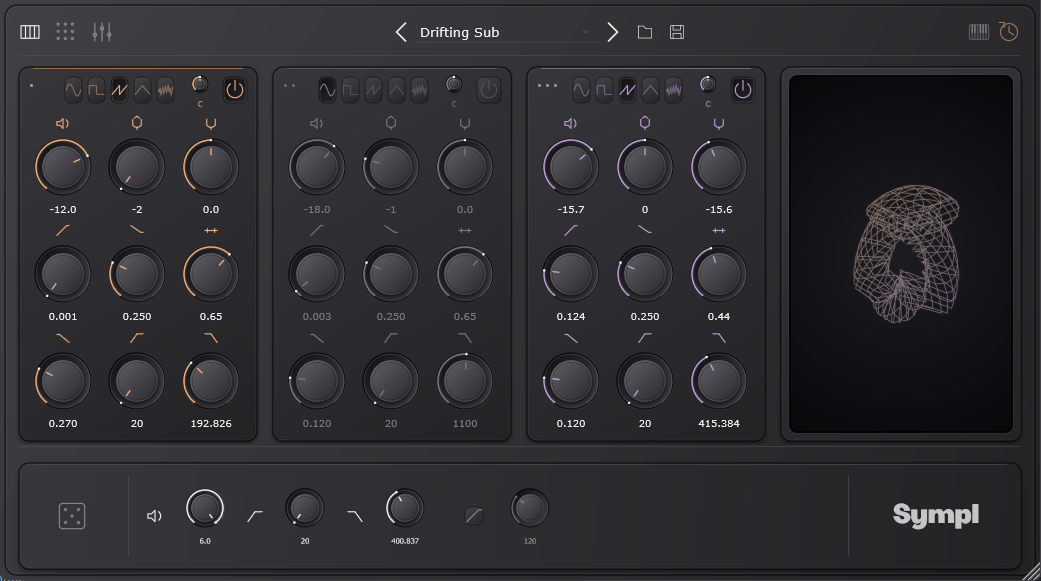
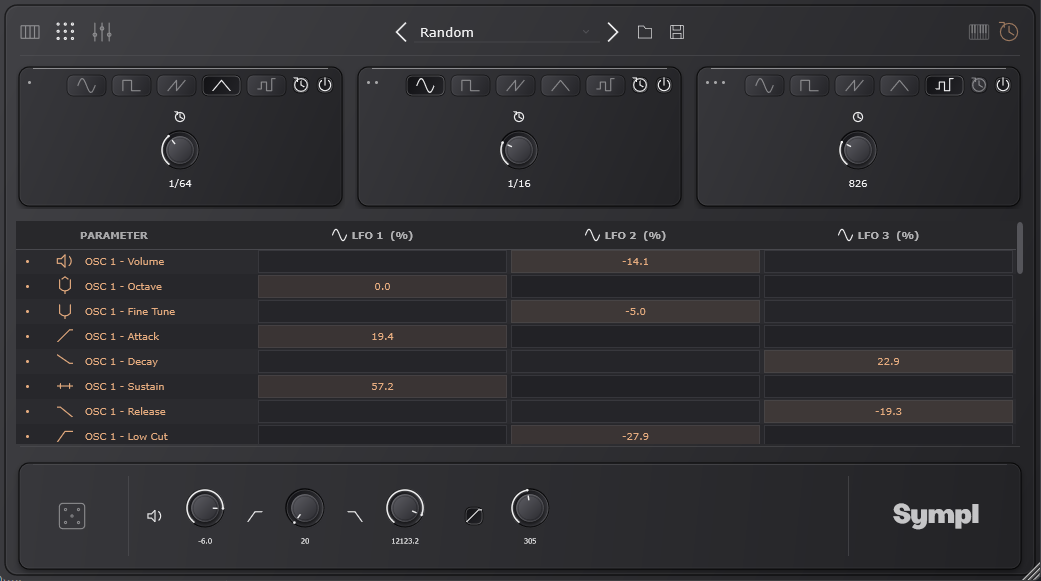
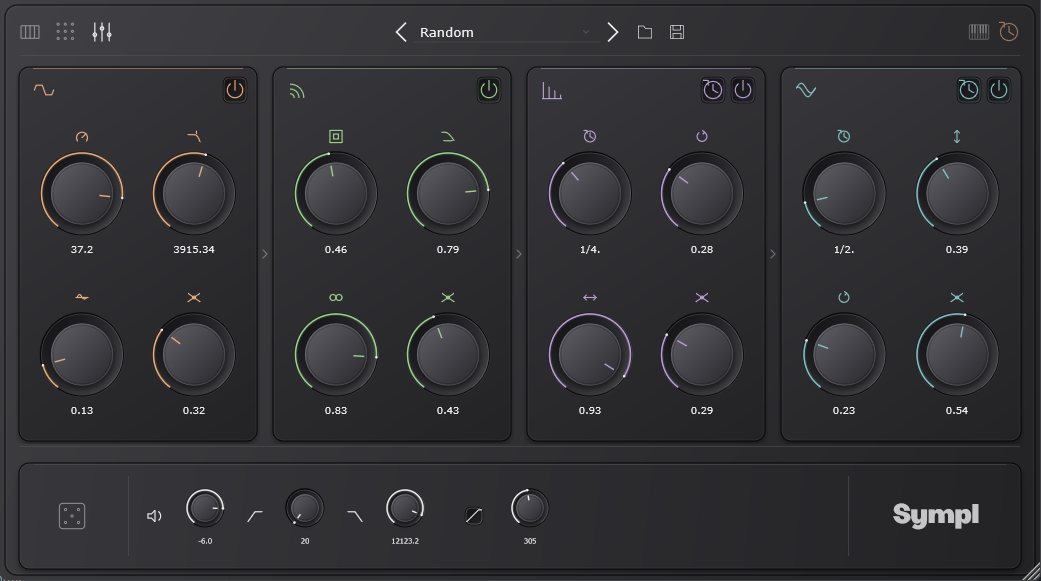
The wireframe visualizer responds to your sound and settings. Smooth, sharp or somewhere in between: your patch leaves its own signature.
Explore with the randomizer, start with six factory sounds, and save your own presets in categories that make sense to you.
Automate parameters in your DAW and restore your patch with your project. Or open the standalone application to play outside a host.
Good to know
Sympl is Windows only: Windows 10 or 11, 64-bit. The plugin uses the VST3 format, so your DAW must support 64-bit VST3 instruments. There is no macOS, Linux or Audio Unit release.
Yes. Sympl includes a standalone .exe application. Choose your audio and MIDI devices in its settings, or play from your computer keyboard. In a DAW, use a MIDI keyboard or notes on an instrument track.
Run the Windows installer and choose the VST3 location your DAW scans. The default is C:\Program Files\Common Files\VST3. Restart or rescan plugins, then add Sympl to an instrument track. The default shared installation requires administrator permission.
A lot of factory presets give you a starting point. Save your own patches with the built-in preset manager.
Sympl is priced at €15. The purchase buttons take you to its Gumroad product page to complete your purchase.
Your next sound starts here
Three oscillators. A little curiosity. Something only you would make.
Windows 10 / 11, 64-bit only · VST3 + standalone .exe · Checkout on Gumroad